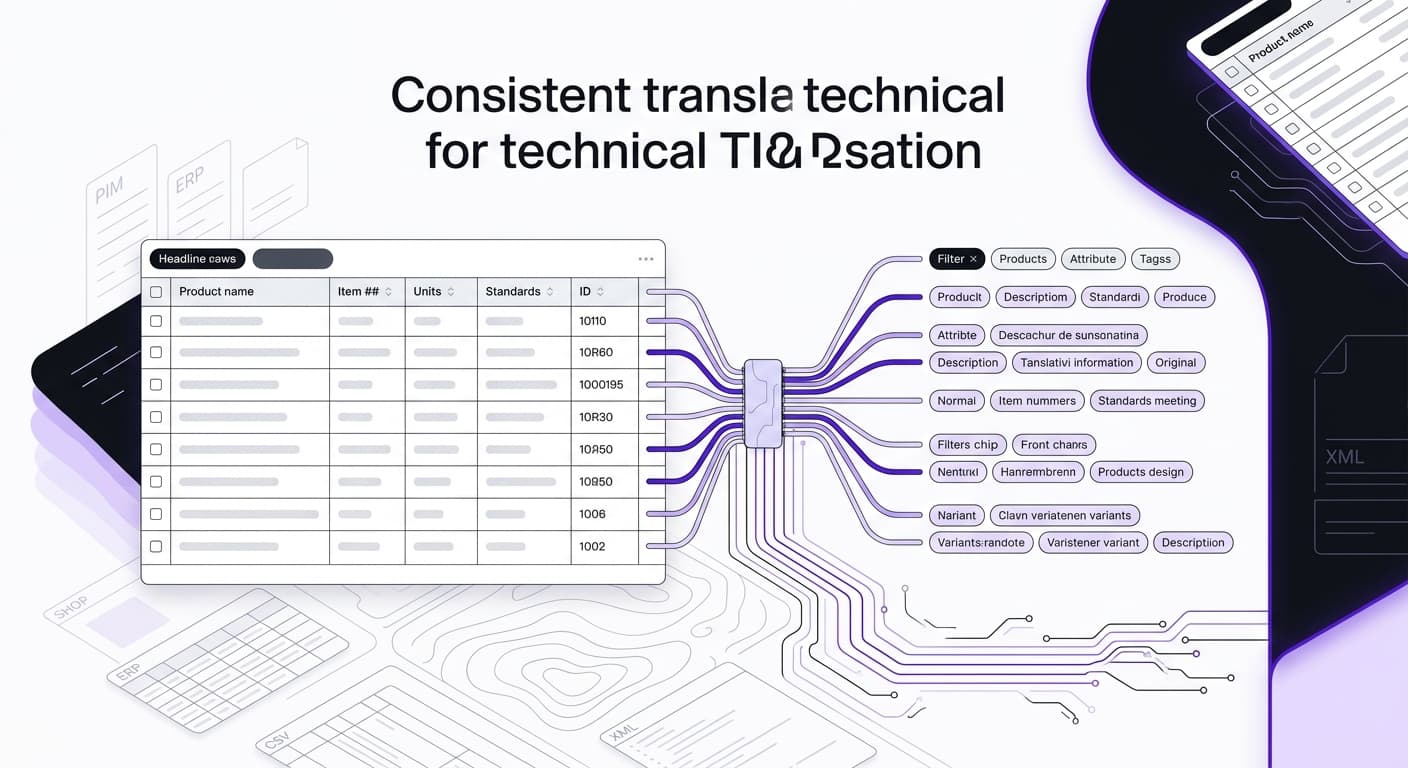
Product data translation: keep your catalog consistent in every language and filter
Product data translation is more than translating description text. In a technical B2B catalog, specifications, attribute values and filter terms must be consistent in every target language. If they are not, navigation fills up with duplicates, search results come back incomplete and products get harder to compare.
Generic machine translation often works sentence by sentence or segment by segment. An isolated attribute value can come out differently depending on its context. Catalog-consistent translation uses a controlled mapping instead: a defined attribute value gets the same approved translation across the whole catalog, as long as it has the same technical meaning in the data model. Brands, SKUs, units and norm designations stay untouched.
The workflow itself can stay lean: export an Excel or CSV file, translate it and get it back with language columns. You don't replace your shop, PIM or ERP to do this. What matters is which fields may be translated, which values stay controlled and how the target file gets back into your existing system.
The problem: when "stainless steel" gets translated three different ways
Technical wholesalers and distributors usually pull product data from several sources. Shop, PIM and ERP each have their own structures, and suppliers send catalogs, price lists and data sheets as Excel, CSV, BMEcat or other formats. On top of that, spellings, units and names differ from supplier to supplier. How those supplier files become your own import file is covered in import supplier data without retyping.
If you translate such a file like running text, the translation engine lacks the attribute context it needs. The German value "Edelstahl" (stainless steel) can end up in the French catalog as "acier inoxydable", "inox" or "acier inox". Linguistically, each variant can be fine depending on the product class. For a standardized filter, they are a problem when they are supposed to represent one value.
The shop then shows several filter entries for one material. Some products sit under "inox", others under "acier inoxydable". A buyer who picks one variant may not get the full result list. Filters, search and product comparison suffer, and wrong orders or returns become more likely. How to treat filter values as a unit of their own is the topic of translating filter values.
The entitys magazine cites a Shotfarm/NPD study according to which about 40% of product returns trace back to poor product data. The figure is not only about translation errors. It does show why incomplete or contradictory product information is a real risk.
Demand for localized content is documented too. In CSA Research's "Can't Read, Won't Buy" study (cited by AdHoc Translations), 76% of 8,709 respondents in 29 countries said they prefer to buy products in their own language, and 40% said they would never buy from a website in another language. For Germany, the same study reports 57% of respondents who buy only from websites in their own language.
Safety information comes with extra requirements. The EU General Product Safety Regulation (GPSR), Regulation (EU) 2023/988, has applied since December 13, 2024. Safety information, warnings and instructions must be provided in the official languages of the member state where the product is sold. What applies in detail depends on the product, the sales channel and the target market.
Don't treat structured formats like running text
BMEcat is an XML-based exchange format with sections such as HEADER, T_NEW_CATALOG, PRODUCT, PRODUCT_FEATURES and MIME_INFO. Typical content includes SKUs, names, descriptions, prices, currencies, images, PDFs, data sheets, classifications, packaging units, dimensions, weights, and delivery and ordering information.
<PRODUCT>
 <SUPPLIER_PID>100456</SUPPLIER_PID>
 <PRODUCT_DETAILS>
 <DESCRIPTION_SHORT>Hex socket cap screw M8x40, stainless steel</DESCRIPTION_SHORT>
 </PRODUCT_DETAILS>
 <PRODUCT_FEATURES>
 <FEATURE>
 <FNAME>Material</FNAME>
 <FVALUE>Stainless steel A2</FVALUE>
 </FEATURE>
 </PRODUCT_FEATURES>
</PRODUCT>
BMEcat defines the transport format. It does not define how features or units inside the PRODUCT_FEATURES block must be named. So the XML structure must stay intact while selected text content is translated, standardized or skipped.
Classification standards matter too. ETIM 10.0 has about 5,600 classes according to entitys and provides class names, feature names and value lists in several languages. eCl@ss also provides class names, feature names and value lists in several languages and uses a four-level hierarchy of segment, main group, group and subgroup or class.
Before translation, look at technical keys, visible display values and translatable content separately. Otherwise a language change can break a class assignment or an import.
What catalog-consistent translation means
Catalog-consistent means that an approved attribute value is used the same way across categories, products and filters. "Stainless steel", "hex socket" or "DIN rail" should not show up in several variants in the target catalog without a reason when each stands for the same technical value.
To get there, split product data into content types first:
- Structured values: features, filter values, units, codes and classifications.
- Description text: short descriptions, long descriptions, application notes and marketing copy.
- Elements that are never translated: SKUs, GTINs, brands, dimensions, units, material codes, CE marks and norm designations.
In an Excel or CSV file, that can mean: the material column gets an approved French equivalent, while sku, gtin, unit and norm go out unchanged. The description_long column is handled separately, because sentence structure and product context decide the result there.
Even values that look identical need a subject-matter check. "Pressure" can mean operating pressure, test pressure or packaging pressure. "Black" can be a filter value, a housing color or part of a product name. A global rule based on identical strings does not see these differences.
That leads to an important limit: identical translation strengthens filter consistency, but it can suppress valid linguistic variation. Translation-quality research and the MQM error typology point out that a term can be consistently wrong in the wrong context. So the right rule is not "every string must always be translated the same way". It is this: values that represent the same technical or filterable value in the data model are deliberately approved as one shared translation unit. Product class, sentence role and target market can call for a different solution.
A short decision checklist helps:
- Is the value part of a filter or a controlled value list?
- Is it used the same way in all affected product classes?
- Must the output match an existing classification?
- Is the value part of free description text?
- Does a code or norm stay completely unchanged?
Only then should a glossary entry be marked as a global translation unit.
Maintain variants at model level
In variant ranges, SKUs often differ in only a few technical parameters. That is why it pays to maintain shared description text at model level and inherit it to the SKUs. In an example from entitys, this means translating 200 model texts instead of 20,000 SKU texts.
The inheritance logic must be defined cleanly in the source system. Variant-specific data such as length, current rating or connection type stays with each SKU. The translation data set should show which text parts come from the model and which values are inserted from the variant. A test with a model family and several of its variants shows whether the output is assembled correctly.
Glossary and skip rules: keep SKUs, brands, units and norms untouched
A glossary sets binding target-language translations for technical terms. For a technical range, entitys recommends a glossary of the 50 to 200 most important technical terms. These include materials, designs, product families and recurring feature values.
You don't build this glossary by hand. FacetFlux builds it automatically from your catalog: recurring attribute values and technical terms get one fixed translation per target language. Your team reviews the list and sets exceptions instead of writing it. The page product data translation with FacetFlux shows how that works.
Build each glossary entry with source term, target term, definition, affected product classes, examples and approval status. For "stainless steel", for example, you can define that the entry applies as a material value but does not automatically replace every free description. Different terms for specific product classes are documented separately.
Before the glossary goes into the translation workflow, check it for duplicates and for different data functions. "A2" and "stainless steel A2" can be different values; "IP65" is a protection rating, not an ordinary product description.
Skip rules mark content that a translation engine must not change. These include:
- SKUs and part numbers
- GTINs and other product identifiers
- Brands
- Dimensions and units
- Material codes
- CE marks
- Norm designations such as EN ISO 20345
- Protection ratings such as IP65
Apply a skip rule to the field, not only to the visible text. A brand can appear inside a description and still has to stay unchanged. A unit can be its own field or part of a combined value.
It also helps to separate technical keys, visible display values and controlled value lists. A technical key must not change, a display value can be translated, and a value list needs a controlled mapping. Which fields your target system actually imports as keys or enums depends on the system, so check that up front.
A test data set should contain SKUs, norms, decimal values, brands and approved filter values. After export, check that only the intended fields changed. That does not replace a subject-matter sign-off, but it catches obvious changes to IDs and technical data.
Normalize before you translate
A glossary and skip rules do not fix an inconsistent source data model. If one supplier uses "bar", another "PSI" and a third "kPa", first decide how your target system handles these values. The translation itself should never convert units silently. Check units with the unit converter.
The same goes for spelling variants, decimal separators, capitalization and feature mapping. "Cable length", "length cable" and "lead length" can mean the same property but come from different supplier schemas. If you don't merge them, translation can produce three features that look different.
A source check in four steps works well for normalization:
- Inventory the fields: Which columns or XML nodes hold titles, descriptions, features, values, units, IDs and classifications?
- Group the spellings: Which variants describe the same value, and which are technically different?
- Check units and numbers: Are decimal separators, signs, value ranges and units unambiguous?
- Define the target structure: Which columns go out as language variants, and which are carried over unchanged?
Example: the source file holds "230 V", "230V" and "230 Volt" for the same property. Before translation, decide whether the display gets unified and whether the unit is stored as its own field or as part of the visible text.
For BMEcat files, also check that XML structure, nodes and hierarchy stay intact. A parser or structural validation should catch missing tags, wrongly escaped special characters and unexpected changes. For CSV and Excel files, check delimiters, column names, line breaks and character encoding. Keep the original source column so you can trace deviations later.
Translate only what changed: deltas instead of full re-translation
With regular supplier updates, you don't need to re-translate every catalog entry. A leading source language with automatic delta detection works well here. It flags new or changed fields, which are then translated or reviewed.
Compare at field level, not only at item level. If only the cable length changes on one variant, the approved description of the whole model does not need to be regenerated. If the product class or technical function changes, related texts and filter values may need another review.
The delta logic should at least distinguish "value changed", "field new", "field deleted" and "formatting only". For example:
- Formatting only: no new translation, but a technical check.
- New filter value: translation and glossary check.
- Changed description: translation of the affected field.
- Deleted field: check whether the target value must be removed as well.
A translation memory stores source sentences and approved translations. Exact matches can be reused; similar segments serve as a starting point for editing. A glossary works at term level, a translation memory at sentence or segment level. The two complement each other.
According to a cost overview from AdHoc Translations, translation memory reuse cuts the volume of new words to translate by 30 to 50% after 12 to 18 months in established programs. How much that affects your own catalog depends on repetition rate, data quality, range and the scope of changes. An export with recurring and new records gives you a more reliable basis than a blanket assumption.
Log every change with source value, timestamp, target language and approval status. When the source language is corrected, it must also be clear whether only new content or also already approved target texts get reviewed again.
Calculate costs realistically
Compare translation costs by content type and review effort, not by item count alone. One record can hold a short title, structured values, a long description, SEO metadata and safety notes. For the estimate, capture how many characters or words in each field group may actually be translated.
The benchmark rates from AdHoc Translations (as of September 2026) list EUR 40 to 70 per 1,000 source words for product attributes and specifications via machine translation with light post-editing, and EUR 60 to 90 per 1,000 source words for standard product descriptions and titles. Don't apply these rates to every table or XML format without checking.
When you compare against generic machine translation, list at least these items separately:
- Extraction and return in the original format
- Translation of the approved fields
- Terminology setup and glossary maintenance
- Human review or post-editing
- XML, CSV or Excel validation
- Delta processing for follow-up updates
Per-word billing is not always meaningful for tables. Many SKUs and units can stay unchanged, while a few long descriptions cause a lot of review work. So ask each provider whether they bill per word, character, segment, record or actual review effort.
Lead time works the same way: data quality, approvals, target languages, validation and the share of human review drive the real duration more than the translation step itself. For safety-relevant content and technical instructions, quality assurance should not rely on automation alone. Which acceptance thresholds B2B distributors use for automatic approval or full human review is not reliably settled.
FacetFlux charges per character and language; see pricing for the current price.
Check quality and secure the way back into your system
Before re-import, a consistency report should answer at least these questions:
- Are identical approved source values translated the same way everywhere?
- Did skip fields stay unchanged?
- Are placeholders, units or technical values missing?
- Are mandatory fields and XML nodes still present?
- Are visible display values and technical keys handled correctly?
- Can you check filters, search and product comparison with samples?
The sample should include products with variants, empty fields, special characters, several units, long descriptions and identical feature values in different categories. That shows whether a problem comes from the translation or from the source data structure. Find empty target-language fields with the data completeness check.
ISO 17100 requires review by a second qualified person. ISO 18587 sets requirements for human post-editing of machine translation output. For high-risk content, expert human review makes sense; a general approval threshold cannot be derived from these standards.
The way back matters as much as the translation. The target file should come out in the expected format without changing tags, keys or hierarchies. Before going live, run a test import with representative categories, variants, filter values and special characters.
Your shop, PIM and ERP stay as they are. Whatever the system, what matters is that source fields, language columns, IDs and controlled value lists are clearly defined.
Frequently asked questions about product data translation
Why can generic translation break shop filters? Because it often processes terms segment by segment and does not recognize that several occurrences are the same controlled attribute value. That is how "stainless steel" ends up with several target terms. Before you enforce one translation, check that the source value has the same function and meaning in all product classes.
How do I stop technical norms from being translated? With explicit skip rules and a check of the affected fields. SKUs, GTINs, dimensions, units, material codes, CE marks, norm designations such as EN ISO 20345 and protection ratings such as IP65 should stay the same in every product record.
Does a supplier update mean re-translating the whole catalog? No. Delta detection can identify changed and new fields. Only that content is then translated or reviewed. How much you save depends on your change rate and data structure.
What does the GPSR require? The GPSR, Regulation (EU) 2023/988, has applied since December 13, 2024. It requires safety information, warnings and instructions in the official languages of the target member state. Which information a specific offer needs depends on the product and the sales channel, so check it case by case.
How do I translate BMEcat data safely? Don't change the XML structure. A suitable workflow separates technical structure, values that are never translated and translatable content. After translation, the content goes back into the intended nodes and is validated before re-import.
Is an identical translation always the best linguistic solution? No. Consistent filter values are important for structured catalogs, but linguistic variation can be useful or necessary depending on product class, sentence role and target market. Define shared translation units on technical grounds, not only from identical strings.
Sign up free and get trial credits – and test the workflow with one of your own Excel or CSV files.
Sources
- Produktdaten übersetzen: Warum das kein Textprojekt ist, sondern ein Datenprojekt
- E-Commerce-Übersetzung 2026: Was tatsächlich funktioniert
- Produktkataloge übersetzen: vom PIM-Export in jeden Markt
- Translation Memory: bis 70 % sparen | Übersetzungsagentur tolingo
- Übersetzungen für E-Commerce & Handel | Fachübersetzungen für den E-Commerce
- ETIM BMEcat – Standardisiertes Austauschformat für elektronische Produktkataloge
- Jenseits von BMEcat: Deep Dive in eCl@ss & ETIM für dein PIM